
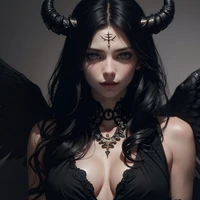
attire_ro_creator-10

- Prompt
- (masterpiece, best quality:1.2), solo, 1girl, smile, looking at viewer, long hair, white hair, blue eyes, ragnarokcreator <lora:attire_ro_creator-10:1>
- Negative Prompt
- fcNeg-neg, (worst quality, low quality:1.4), out of frame

- Prompt
- (masterpiece, best quality:1.2), solo, 1girl, smile, looking at viewer, long hair, white hair, blue eyes, ragnarokcreator <lora:attire_ro_creator-10:1>
- Negative Prompt
- fcNeg-neg, (worst quality, low quality:1.4), out of frame
Model description
Weight: 1.0
Trigger: ragnarokcreator
The results of your generations are dependent on the additional LoRAs, weights, and models you use, so it may not work or come out as consistent as my sample images. Other reasons may include me using xformers, token merging, and a modified DPM++ 2M Karras sampler. You may sometimes notice that my prompt includes <lyco:. Note that some of my LoRA files are located within my LyCORIS folder. If the model is labeled as a LoRA, it's a simple LoRA. If it's specified as a LyCORIS, it's a LoCon/LoHa.
Source
https://civitai.com/models/221875/creator-attire-or-ragnarok-online
Credit
https://civitai.com/user/justTNP
Trigger words
You should use ragnarokcreator to trigger the image generation.
Download model
Weights for this model are available in Safetensors format.
Download them in the Files & versions tab.
- Downloads last month
- 9