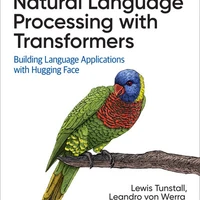

Instructions to use transformersbook/codeparrot with libraries, inference providers, notebooks, and local apps. Follow these links to get started.
- Libraries
- Transformers
How to use transformersbook/codeparrot with Transformers:
# Use a pipeline as a high-level helper from transformers import pipeline pipe = pipeline("text-generation", model="transformersbook/codeparrot")# Load model directly from transformers import AutoTokenizer, AutoModelForCausalLM tokenizer = AutoTokenizer.from_pretrained("transformersbook/codeparrot") model = AutoModelForCausalLM.from_pretrained("transformersbook/codeparrot") - Notebooks
- Google Colab
- Kaggle
- Local Apps
- vLLM
How to use transformersbook/codeparrot with vLLM:
Install from pip and serve model
# Install vLLM from pip: pip install vllm # Start the vLLM server: vllm serve "transformersbook/codeparrot" # Call the server using curl (OpenAI-compatible API): curl -X POST "http://localhost:8000/v1/completions" \ -H "Content-Type: application/json" \ --data '{ "model": "transformersbook/codeparrot", "prompt": "Once upon a time,", "max_tokens": 512, "temperature": 0.5 }'Use Docker
docker model run hf.co/transformersbook/codeparrot
- SGLang
How to use transformersbook/codeparrot with SGLang:
Install from pip and serve model
# Install SGLang from pip: pip install sglang # Start the SGLang server: python3 -m sglang.launch_server \ --model-path "transformersbook/codeparrot" \ --host 0.0.0.0 \ --port 30000 # Call the server using curl (OpenAI-compatible API): curl -X POST "http://localhost:30000/v1/completions" \ -H "Content-Type: application/json" \ --data '{ "model": "transformersbook/codeparrot", "prompt": "Once upon a time,", "max_tokens": 512, "temperature": 0.5 }'Use Docker images
docker run --gpus all \ --shm-size 32g \ -p 30000:30000 \ -v ~/.cache/huggingface:/root/.cache/huggingface \ --env "HF_TOKEN=<secret>" \ --ipc=host \ lmsysorg/sglang:latest \ python3 -m sglang.launch_server \ --model-path "transformersbook/codeparrot" \ --host 0.0.0.0 \ --port 30000 # Call the server using curl (OpenAI-compatible API): curl -X POST "http://localhost:30000/v1/completions" \ -H "Content-Type: application/json" \ --data '{ "model": "transformersbook/codeparrot", "prompt": "Once upon a time,", "max_tokens": 512, "temperature": 0.5 }' - Docker Model Runner
How to use transformersbook/codeparrot with Docker Model Runner:
docker model run hf.co/transformersbook/codeparrot
Commit History
fix config.json c12d373
add final logs 2c4c5b3
final model fc85f04
step 800000 c2346ec
step 750000 dbf35da
step 700000 52d9a48
step 650000 8da8f1b
step 600000 b49b823
step 550000 b497eec
step 500000 cedcb60
step 450000 1846999
step 400000 74d918e
step 350000 aa2a5f5
step 300000 0c75228
step 250000 620eef3
step 200000 3f342b5
step 150000 6faf093
step 100000 7add693
step 50000 d787f60
add mistral changes ea70f93
Create codeparrot_training.py 47731b7
Create requirements.txt 6554e3d
add model 05ab0fb
leandro von werra commited on
add tokenizer 1c284ad
leandro von werra commited on